 Lịch Âm Việt
Vietnamese Lunar Calendar App for iPhone and iPad
· 4 min read
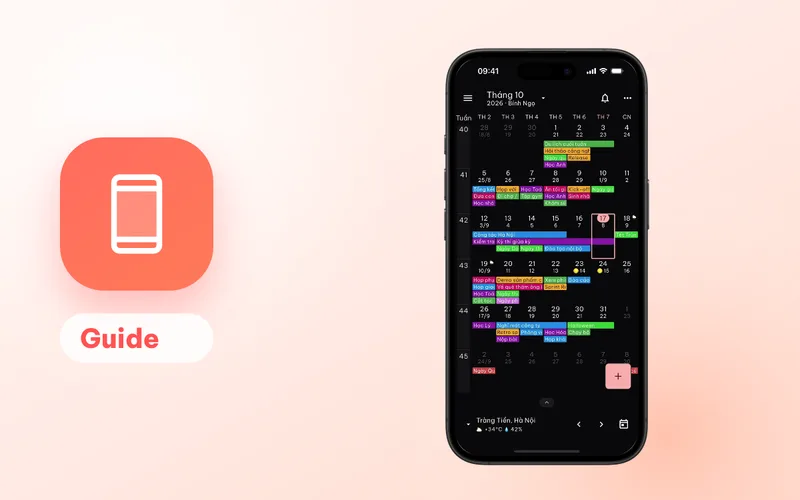
A yearly event in a regular calendar repeats on the same solar date, while a Vietnamese family’s anniversaries move with the moon. Lịch Âm Việt handles that for you on iPhone and iPad: it shows the Vietnamese lunar date under every day, saves giỗ (death anniversaries) and lunar birthdays into your iCloud or Google calendar for many years ahead, and reminds you of mùng 1 (first of the lunar month) and rằm (the full-moon 15th).
The app is free with ads on the App Store. One listing covers iPhone, iPad and Mac.
Install
- Open the App Store and search for “Lịch Âm Việt”, or open this link.
- Tap Get.
- Open the app and allow access to your Calendars, so it can show and save events.
- Allow notifications for holiday reminders.
The interface is available in Vietnamese and English. This guide quotes the Vietnamese labels with an English gloss.
Lunar dates in every view
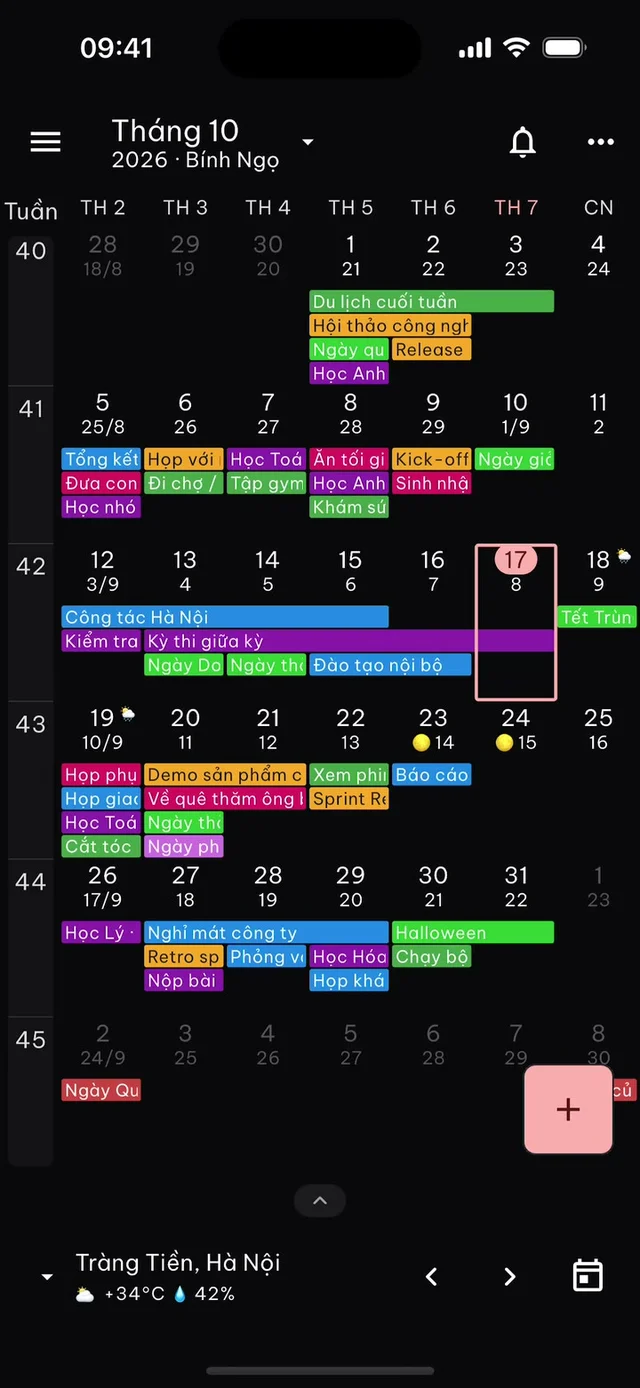
The month view shows the lunar day under each date, with the lunar month number on the first day of each lunar month. Other views include Lịch biểu (schedule), Ngày (day), Tuần (week), events by day or month, and a year view.
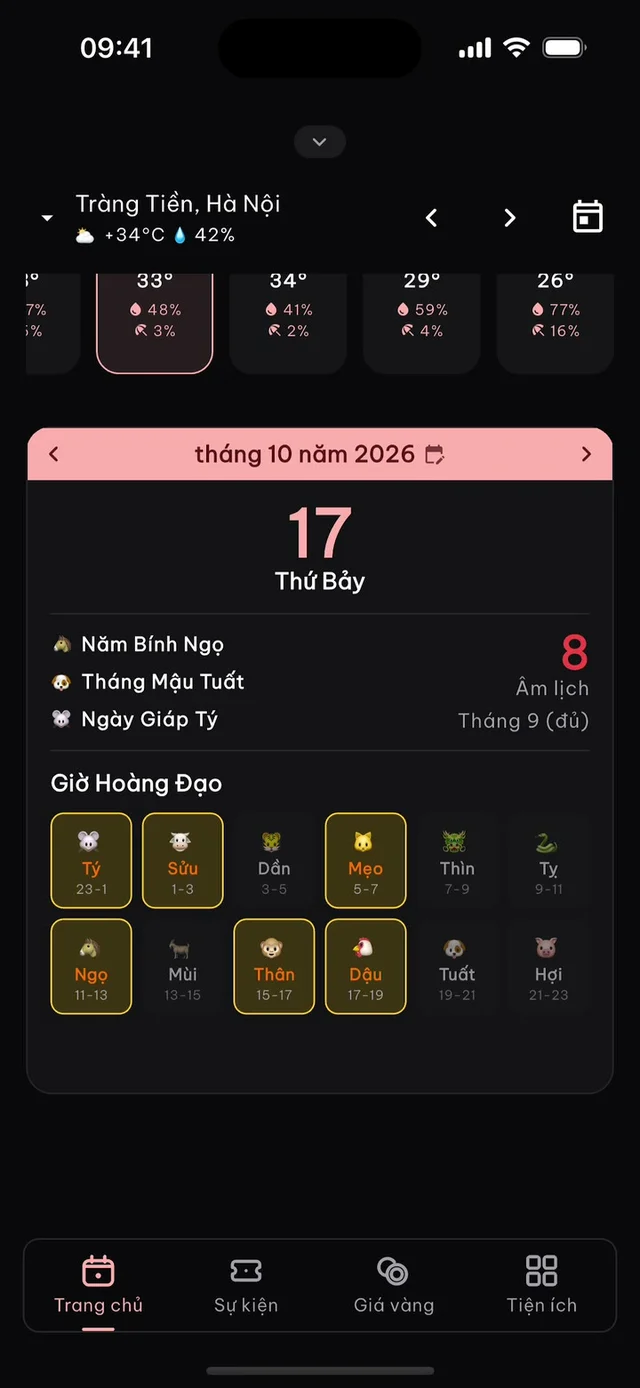
Swipe up the area under the calendar on the Trang chủ (Home) tab to open the day card. It lists the lunar day, whether the lunar month has 29 or 30 days, the Can Chi of the year, month and day, and the 12 two-hour periods with the giờ hoàng đạo (auspicious hours) highlighted. On 17 October 2026, for example, the card shows the 8th day of the 9th lunar month of Bính Ngọ, day Giáp Tý.
If the text is small, turn on Chế độ dễ nhìn (easy-view mode) for large text and three simple tabs, or raise the text size up to 2x.
Widgets for the home screen and Lock Screen
Home screen widgets:
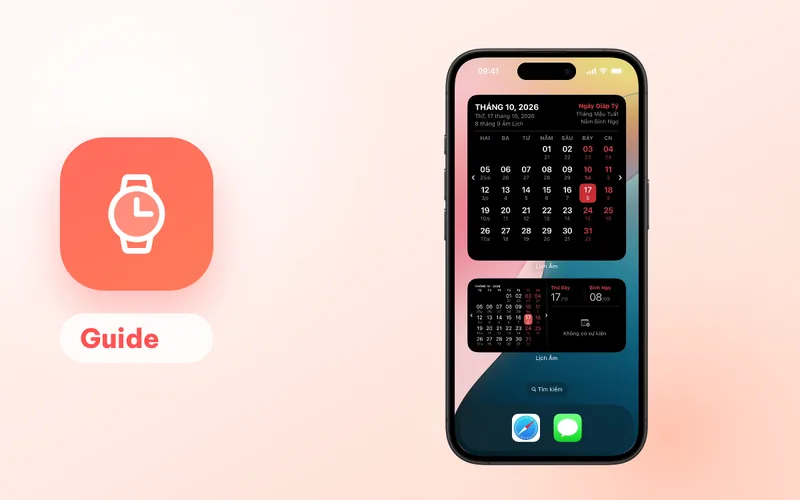
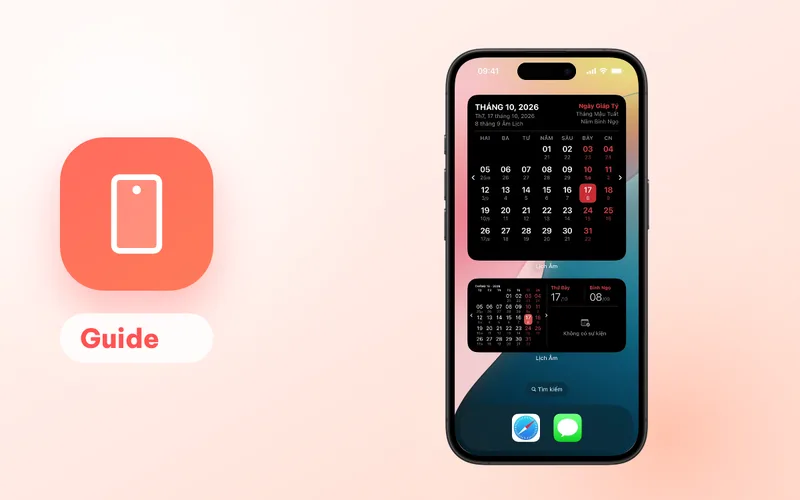
- Lịch Âm Việt (small): today’s lunar date and what’s coming up.
- Calendar in small, medium and large: the month with lunar dates; the large one also shows the Can Chi of the day, month and year.
Lock Screen widgets:
- an inline or rectangular calendar line,
- Âm Lịch (circular): today’s lunar day and month,
- Lịch Tuần (rectangular): the week,
- Thêm Sự Kiện (circular): a shortcut to add an event.
To add a home screen widget, touch and hold an empty area, tap Edit then Add Widget, and search for “Lịch Âm”. For the Lock Screen, touch and hold the Lock Screen, tap Customize, then tap the widget area. On iPad the same widgets are available on the home screen.
Save a giỗ to iCloud or Google Calendar
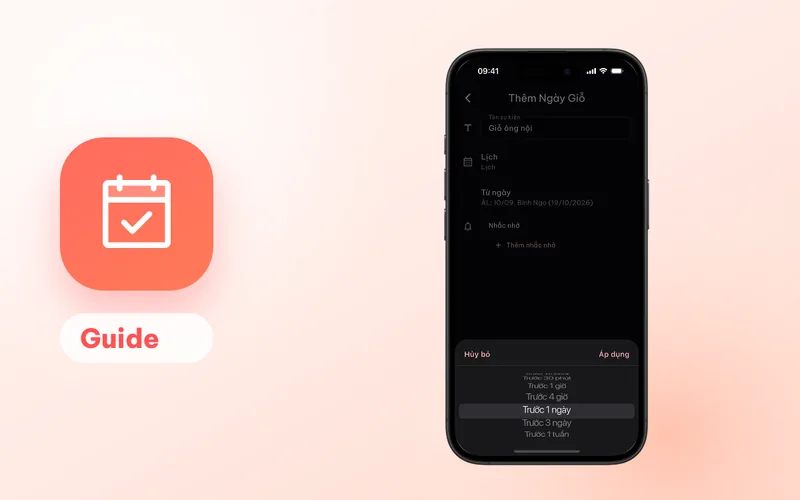
- Tap + and choose Ngày giỗ (death anniversary).
- Enter a name, for example “Grandma’s giỗ”.
- Under Lịch (calendar), choose where to save it: iCloud, Google, Exchange or any account added in iOS Settings.
- Tap the date and switch the picker to Âm (lunar) to enter the lunar date, or keep Dương (solar) and enter the solar date of the day the person passed away.
- Add reminders, then save.
Because the event lives in your iCloud or Google calendar, it also appears on your Mac, your iPad and, if the calendar is shared, on your relatives’ phones. The reminder is sent by the iOS Calendar app. Step-by-step advice on reminder timing is in yearly giỗ reminders.
To use a Google account, add it first in iOS Settings under Calendar → Accounts (on iOS 18 this is inside Apps). Microsoft (Outlook) accounts can also be linked inside the app.
Holiday reminders
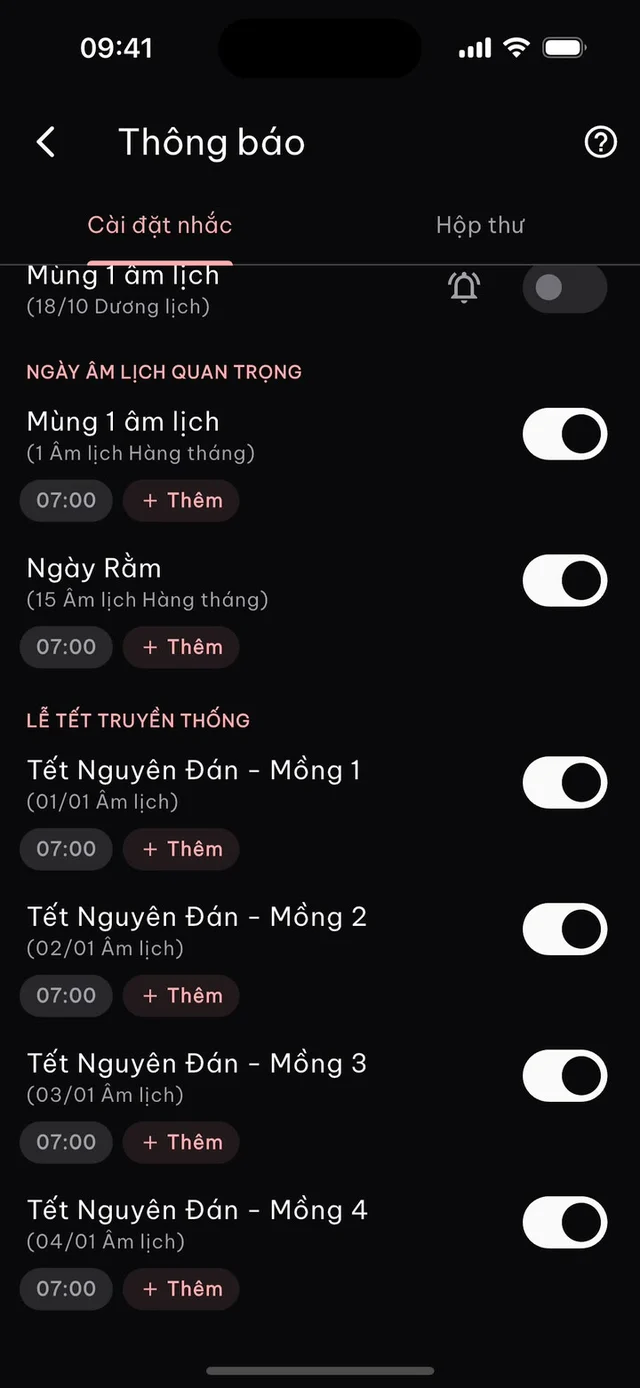
Tap the bell icon, then Cài đặt nhắc (reminder settings). Turn on mùng 1 and rằm, Tết days 1 to 5, Vía Thần Tài, Vu Lan, Trung Thu, Ông Công Ông Táo and more. Each fires at 07:00 on the day by default; you can choose 1 to 30 days earlier and any time of day. Signing in syncs these settings between your iPhone, iPad and Mac.
Apple Watch
If you wear an Apple Watch with watchOS 9 or later, you can put the lunar date on your watch face with the Âm Lịch complication. See Vietnamese lunar calendar on Apple Watch.
Free and Premium
The app is free with ads. Premium (monthly, 3-month, yearly or lifetime) removes ads and adds gold prices and exchange rates, GPS weather with a 3-day forecast, extra calendar backgrounds and effects, more than one reminder per built-in holiday and more than one personal timetable profile. Points earned in the app can be exchanged for Premium.
Use a Mac as well? The same App Store listing includes the Mac version with the lunar date in the menu bar. On Android, see the Android guide.
FAQ
Is there a separate iPad version?
No. iPhone and iPad use the same app from the same App Store listing, so you download it once and it runs on both. The Mac version is on the same listing too.
Do giỗ reminders sync with iCloud?
Yes. On iPhone and iPad the app saves events into the calendars set up in iOS Settings, such as iCloud or Google. Any device using the same account sees the event, and the Calendar app delivers the reminder.
How many reminders can I set per event on iPhone?
Up to 2 per event when it is saved to an Apple (iCloud) calendar. Google calendars allow up to 5, and Microsoft calendars 1.
Can I see the lunar date on the Lock Screen?
Yes. Add the Âm Lịch (lunar date) circular widget or one of the other Lock Screen widgets: an inline or rectangular calendar, Lịch Tuần (week) or Thêm Sự Kiện (add event).
 lichamviet.com