 Lịch Âm Việt
Vietnamese Lunar Calendar App for Android: Setup Guide
· 5 min read
Most Android calendars only repeat events by the solar (Gregorian) date. That is a problem if your family keeps giỗ (death anniversaries), mùng 1 (the first day of each lunar month) and rằm (the full-moon 15th), because those land on a different solar date every year.
Lịch Âm Việt is a Vietnamese lunar calendar app for Android that shows the lunar date under every day, repeats events by the lunar date and reminds you ahead of time. It has more than 500,000 downloads and is free on Google Play.
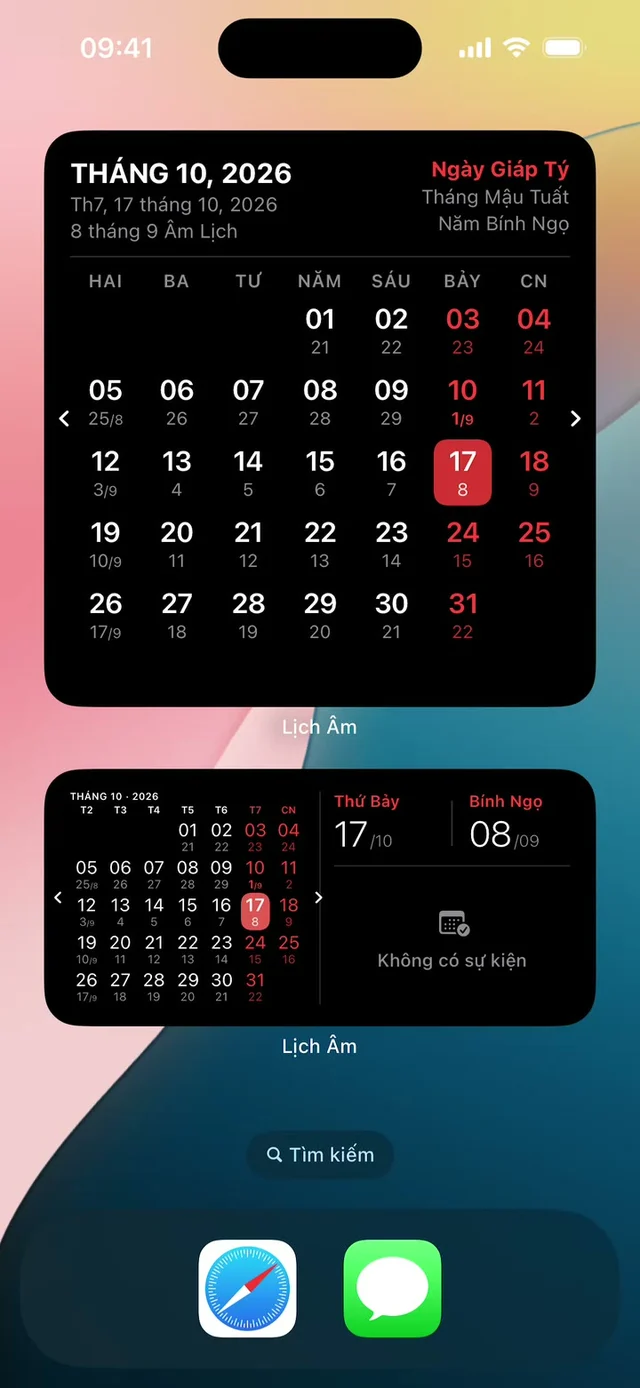
Screenshots in this guide were taken on an iPhone with the Vietnamese interface; the Android app has the same screens.
Install and pick a language
- Open Google Play and search for “Lịch Âm Việt”, or use this link.
- Tap Install, then open the app.
- Allow access to your calendar when asked. The app needs it to show and save your events.
- Allow notifications if you want holiday reminders.
The app comes in Vietnamese and English. If you grew up abroad and read Vietnamese slowly, switch the interface to English in the app’s settings. The lunar terms (Can Chi, giờ hoàng đạo) stay in Vietnamese because there is no exact English word for them.
What you see on the main screen
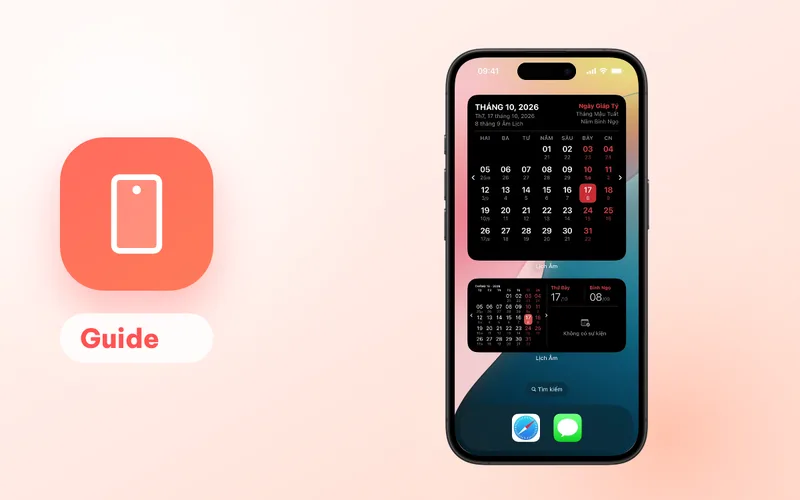
The month view shows the solar date in large numbers with the lunar date underneath. The first day of each lunar month is marked with its month number, for example 1/9 for the first day of the 9th lunar month.
Tap any day to open the day card on the Trang chủ (Home) tab. It shows:
- the solar date and weekday,
- the lunar day, and whether the lunar month is full (30 days, “đủ”) or short (29 days, “thiếu”),
- the Can Chi (the traditional stem-and-branch name) of the year, month and day,
- the 12 two-hour periods of the day with the giờ hoàng đạo (auspicious hours) highlighted,
- hourly weather.
For example, 17 October 2026 is the 8th day of the 9th lunar month in the year Bính Ngọ (Year of the Horse), and the day itself is Giáp Tý. The background of these terms is explained in Can Chi and the Vietnamese zodiac and auspicious hours.
Add a death anniversary that repeats by the lunar date
- Tap the + button at the bottom right.
- Choose Ngày giỗ (death anniversary). The other options are Sinh nhật (birthday), Sự kiện Dương lịch (solar-date event) and Sự kiện Âm lịch (lunar-date event).
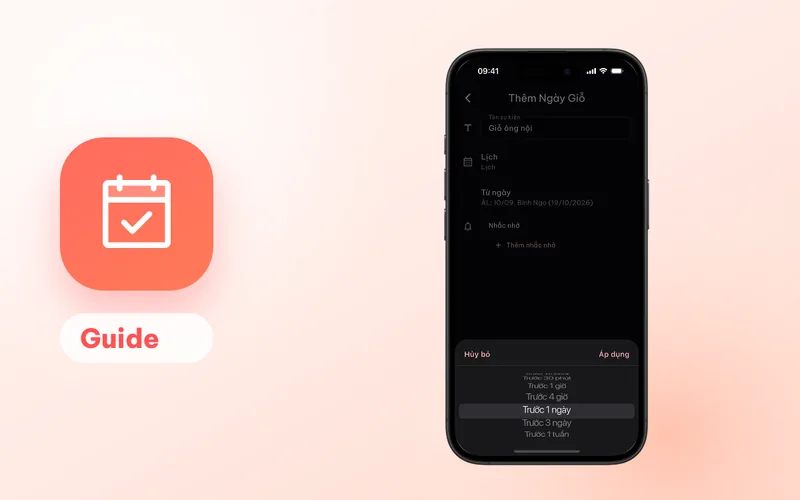
- Type a name, for example “Grandpa’s giỗ”.
- Pick the calendar to save it in, usually your Google account.
- Pick the date. The date picker switches between Dương (solar) and Âm (lunar), so you can enter the lunar date directly, or enter the solar date of the day the person passed away and let the app convert it.
- Add one or more reminders and save.
The app creates one event per year for many years ahead, so the giỗ falls on the right solar date every year. The full walkthrough, with reminder tips for families, is in how to get a yearly giỗ reminder.
Built-in reminders for mùng 1, rằm and Tết
You don’t need to type in shared holidays. Tap the bell icon, open Cài đặt nhắc (reminder settings) and switch on what you want. There are 49 toggles, grouped as:
- Ngày âm lịch quan trọng: mùng 1 and rằm every month,
- Lễ tết truyền thống: traditional festivals such as Tết days 1 to 5, Vía Thần Tài (God of Wealth day), Giỗ Tổ Hùng Vương (Hùng Kings’ day), Vu Lan, Trung Thu (Mid-Autumn) and Ông Công Ông Táo (Kitchen Gods day),
- Vietnamese public holidays and international days.
By default each reminder fires on the day at 07:00. You can move it 1 to 30 days earlier and pick any time. A second or third reminder for the same holiday is a Premium feature. If you sign in, these choices sync to your other devices.
12 home screen widgets
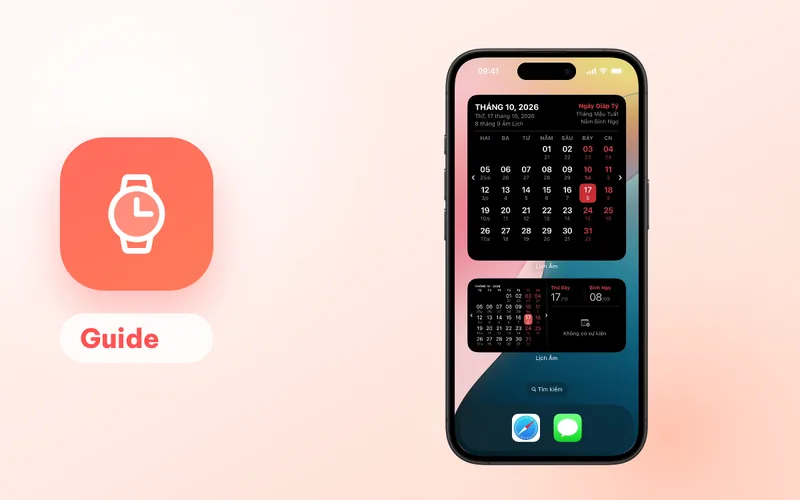
Android gets the largest set of widgets: 12 in total, listed under Lịch Âm in your widget picker. They range from a small 2x1 “today” tile to a resizable month calendar (2x2 up to 4x5), a 2-week view, a photo widget, a weather widget, a Tiết khí widget for the 24 solar terms and three Lịch vạn niên (almanac) widgets with the auspicious hours and upcoming events.
To add one:
- Long-press an empty spot on the home screen.
- Tap Widgets.
- Find Lịch Âm, then drag the widget you want onto the screen.
Widget background colour and transparency can be changed in the app’s settings, separately for light and dark mode. This option is Android-only.
Keep reminders and widgets on time
Widgets switch to the new day at midnight using a background task. Some phones stop background tasks to save battery. If the widget is still showing yesterday in the morning, set the app’s battery usage to unrestricted in your phone’s settings. Samsung, Xiaomi, OPPO and vivo phones each have their own menus for this; see the guides for Samsung and Xiaomi, OPPO and vivo.
Reminders for your own events (giỗ, birthdays) are sent by the calendar app the event is saved in, such as Google Calendar. If you don’t get them, check that app’s notification settings too.
Free and Premium
The app is free with ads. Premium removes ads and adds gold prices and exchange rates, GPS weather with a 3-day forecast, colour, image and graphic calendar backgrounds with weather and animated effects, more than one reminder per built-in holiday, and more than one Lịch cá nhân (personal timetable) profile. You can also exchange free points earned in the app for Premium.
Other devices
The same app runs on iPhone and iPad, Mac, Windows, Linux and in a web browser. Need a quick lookup without the app? The today’s lunar date page (in Vietnamese) shows the lunar date, Can Chi and auspicious hours for today.
FAQ
Is the Vietnamese lunar calendar app free on Android?
Yes. Lịch Âm Việt is free on Google Play with ads. An optional Premium plan (monthly, 3-month, yearly or lifetime) removes ads and adds extras such as weather forecasts, gold prices and calendar backgrounds.
Can I use the app in English?
Yes. The app has a Vietnamese and an English interface. This guide quotes the Vietnamese labels with an English gloss, because many families use the Vietnamese version.
Where are my death anniversaries saved?
In the calendar you pick on your phone, usually your Google account. The app writes one event per year for many years ahead, so the giỗ also shows up in Google Calendar and on any device signed in to that account.
How many reminders can one event have?
Up to 5 per event when it is saved to a Google or Android calendar. Each reminder can be on the day, minutes or hours before, or 1 day, 3 days or 1 week before.
 lichamviet.com