 Lịch Âm Việt
Vietnamese Lunar Calendar for Linux: Ubuntu, Fedora, Arch
· 4 min read
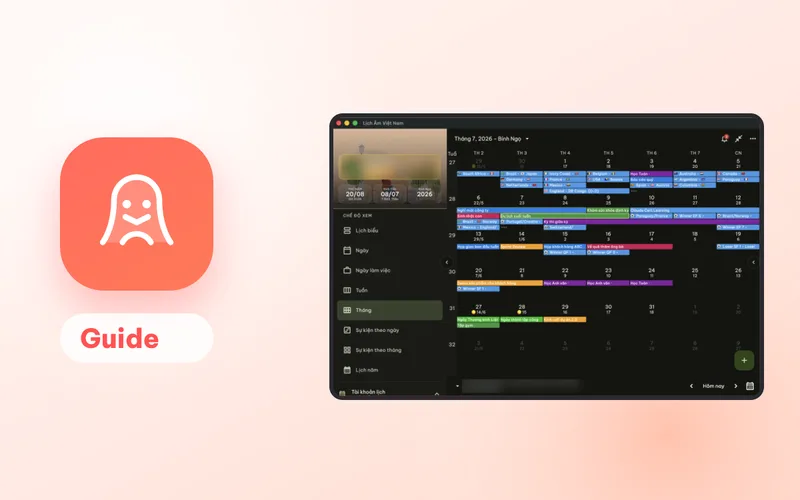
If you run Ubuntu, Fedora, Arch or another Linux distribution, you can still have the Vietnamese lunar calendar on your desktop. Lịch Âm Việt has a native Linux build that shows the lunar date under every day, the Can Chi of the day, month and year, and the giờ hoàng đạo (auspicious hours).
The Linux version focuses on viewing. It can display events from your Google or Microsoft account, but creating events and built-in reminders are only on the other platforms. Details below.
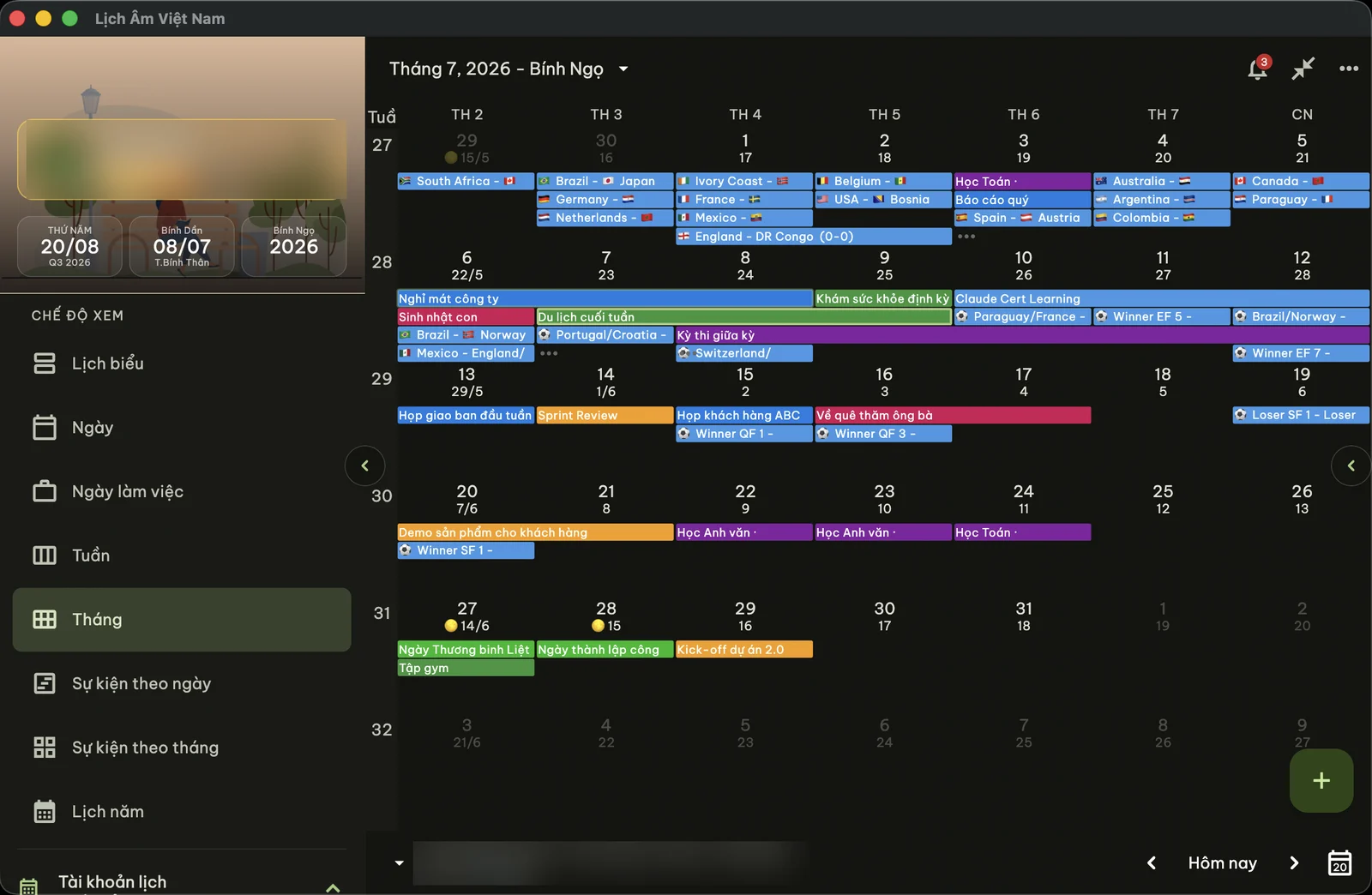
Screenshot taken on macOS; the Linux window uses the same layout.
Choose your install method
All packages are 64-bit (x86_64/amd64). The download links and exact commands are on the Linux install page (in Vietnamese; the commands themselves are the same in any language).
| Your system | Package | Notes |
|---|---|---|
| Ubuntu | App Center | Search “Lịch Âm Việt” in App Center or Ubuntu Software, click Install |
| Any distro with Snap | Snap | From the Snap Store, updates automatically |
| Ubuntu, Debian, Linux Mint, Pop!_OS, elementary OS | .deb | Double-click to open in App Center, or install with apt |
| Fedora, Arch, openSUSE | AppImage | One file, no install needed |
| Gentoo | ebuild | Put it in a local overlay under app-misc/lich-am-viet-nam/ |
| Not sure | tar.gz | Extract and run |
Ubuntu: the easy way
- Open App Center (called Ubuntu Software or Software on some versions).
- Search for Lịch Âm Việt.
- Click Install.
Debian and derivatives
Download the .deb from the install page, then double-click it or install it with apt. To remove it later: sudo apt remove lich-am-viet-nam.
Fedora, Arch, openSUSE: AppImage
Download the .AppImage, make it executable and run it. If it complains about libfuse2, install FUSE 2:
- Fedora:
sudo dnf install fuse fuse-libs - openSUSE:
sudo zypper install libfuse2 - Arch / Manjaro:
sudo pacman -S fuse2
If the AppImage or tar.gz reports a missing .so file, your system is missing some desktop libraries. Install gtk3, glib2, libnotify and libayatana-appindicator3 through your package manager.
What you get on Linux
- Month, week and day views with the lunar date under each solar date. Other views include Lịch biểu (schedule), work week, events by day or month, and a year view.
- Day details: the lunar day, whether the lunar month has 29 or 30 days, the Can Chi of the year, month and day, and the 12 two-hour periods with the auspicious hours highlighted.
- Your calendar events, after linking a Google or Microsoft (Outlook) account in the app.
- Vietnamese or English interface, plus light and dark themes and adjustable text size.
The interface uses Vietnamese terms with no exact English equivalent. Can Chi is the 60-name cycle of heavenly stems and earthly branches used to name years and days; see Can Chi and the Vietnamese zodiac. Giờ hoàng đạo are the six “good” two-hour periods of each day; see auspicious hours.
Link Google or Microsoft to see your events
- Open the left menu and find Tài khoản lịch (calendar accounts).
- Click Thêm lịch (add calendar) and choose Google or Microsoft.
- Sign in to that account.
Events from that account, including death anniversaries you created on your phone, appear on the calendar.
What Linux doesn’t do (yet)
- Creating events: not available on Linux. Add a giỗ (death anniversary) from your phone, your Mac, Windows or the web version, and it will show up here through the linked account.
- Built-in holiday reminders for mùng 1 (first of the lunar month), rằm (full-moon 15th) and Tết: not on Linux. Turn them on in the phone app instead.
- Desktop widgets: Android, iPhone and Mac only.
A good setup for Linux users is to keep the phone app for reminders and use the Linux app for looking things up at your desk. How the reminders work is explained in yearly giỗ reminders.
A quick tour after installing
- Open the app from your applications menu.
- Click any date to see its lunar day, Can Chi and auspicious hours.
- Switch views from the menu: month for an overview, year view to scan for Tết or a family date, schedule for a list.
- If you prefer English, change the language in the app’s settings. Lunar terms such as Can Chi stay in Vietnamese.
For example, open 6 February 2027 and you will see it is the first day of the first lunar month, Tết of the year Đinh Mùi.
Other computers
If you also use Windows or a Mac, compare all desktop options in Vietnamese lunar calendar for your computer. For a quick lookup without installing anything, the today’s lunar date page (in Vietnamese) shows the lunar date, Can Chi and auspicious hours, and the solar to lunar converter (in Vietnamese) converts any date.
FAQ
Which Linux distributions are supported?
64-bit (x86_64) systems. There is a Snap package for any distro with Snap, a .deb for Ubuntu, Debian and derivatives, an AppImage for Fedora, Arch, openSUSE and others, a Gentoo ebuild and a plain tar.gz.
Can I add a death anniversary on Linux?
Not yet. The Linux version can show events from a linked Google or Microsoft account, but it can't create events. Add the giỗ on your phone or in the web version and it will show up on Linux.
Does the Linux version send mùng 1 and rằm reminders?
No. Built-in holiday reminders are available on Android, iPhone, iPad, Mac and Windows. On Linux the app is for viewing the lunar calendar.
The AppImage won't start and mentions libfuse2. What do I do?
Install FUSE 2 with your package manager: fuse and fuse-libs on Fedora, libfuse2 on openSUSE, fuse2 on Arch or Manjaro. Then run the AppImage again.
 lichamviet.com